

其实微软 Virtual Earth 3D 中有一个功能就是惯性,默认是关闭的。为了更真实的体验,我们推荐大家打开惯性功能。以下就是具体步骤:
-
确定已经安装 Virtual Earth 3D,并切换至 3D 模式。

-
点击选项 Options:

-
点击 3D 设置 Settings,并切换至 Preferences 选项卡,确认勾上 Continue Earth motion after dragging:
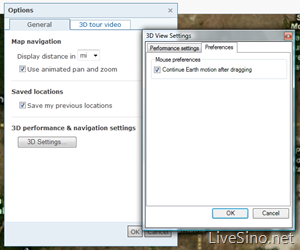

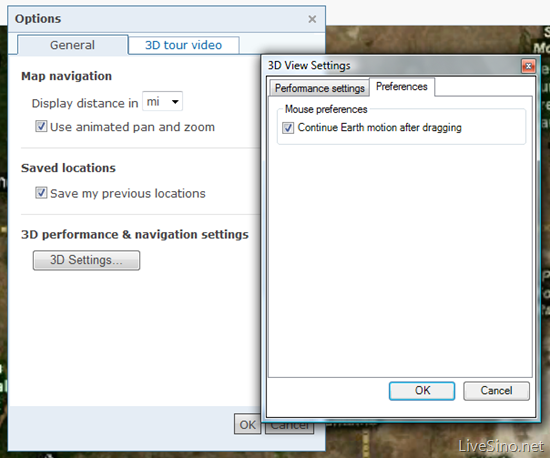
全部确定后,你就打开了 Virtual Earth 3D 的惯性功能了。大家体验一下吧~
发表评论